Find all the info on my online Monthly Card Club
Looking for my SHIMMER SOLUTION tutorial? Here it is!
Shop my Stampin’ Up! site and earn Stampin’ Rewards
Amazon Finds for Shimmer Technique.
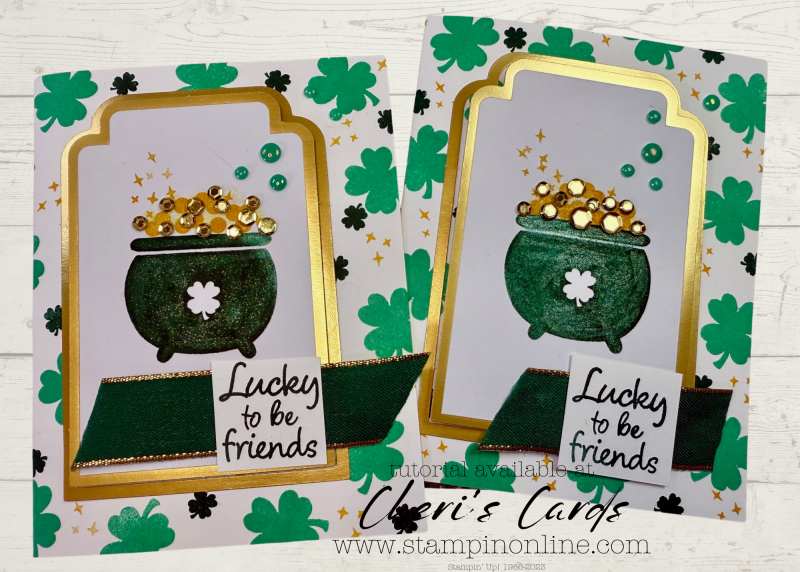
Today I have card 3 in my collage series. This time it’s a fun St Patrick’s Day card. Pull out all your GREENS!
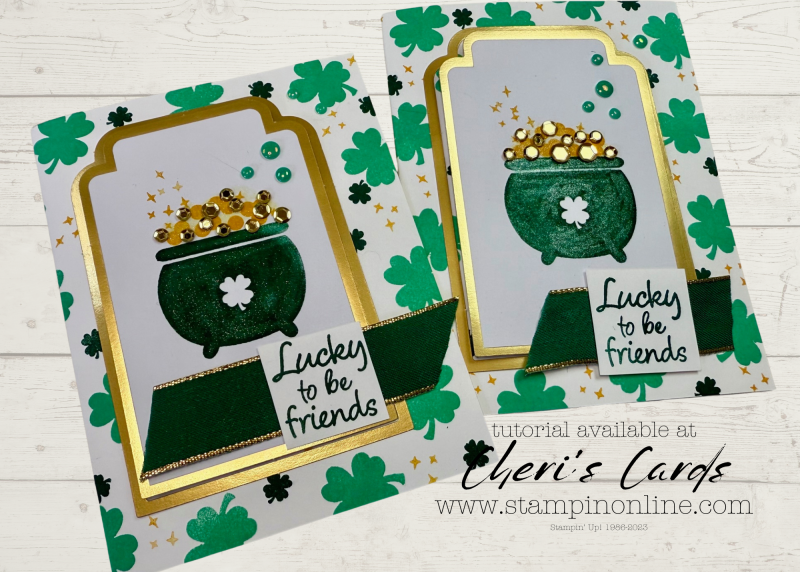
This card is so super simple. We have hit the ‘end is in site’ portion of our cutting for my upcoming Try It Class. That’s ALL the die cutting. SO MANY die cuts, lol.
Both of my Cut & Emboss machines are downstairs where we cut…so I went old school and made a card with just the very basics.
Here you go:
To be honest, back ‘in the day’ as in over 30 years ago when I started this little hobby/business – not only were there no die cutting machines (nor punches…remember those circle cutters?), there were not even cool gold foil ephemera labels.
Stamping on one of these for the focal point really adds to the card with absolutely no work! Make sure to add a package to your next order so you will be able to add some very elegant bling to a super quick card.
Remember BONUS days are still happening. Do a little shopping this weekend and earn some rewards AND bucks to spend next month!

Loyalty Thank You Gifts with online orders
You can see the standard levels
You earn ALL of the rewards to the level of order you place (amount calculated on merchandise – rewards, shipping, tax not included)
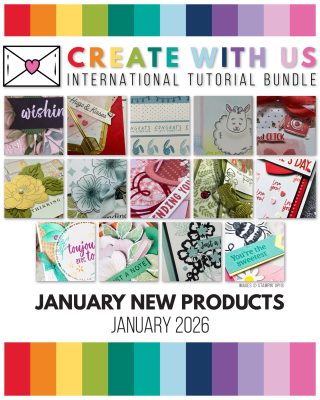
Get the January Tutorial bundle when you spend $50+

Get $5 bonus bucks for every $50 you spend
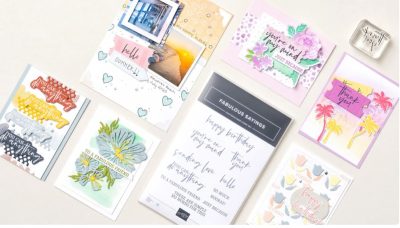
A new product of the month now available!
This past December new features on email programs went in to effect to help keep spam from your inbox. Unfortunately that means legit emails often are not delivered.
If you are on my email list and have not gotten an email recently (I sent 3 the week of January 6), then take these steps to add my email to your contacts. If you don’t see any emails from me in the last few weeks, then you can sign up again (link in the comments).
For now, it helps if you are on my list to take these steps:
A couple quick things to make sure my emails remain in your inbox
1. Reply “OK” to any recent email sent from my cheri@stampinonline email.
It helps tell your inbox that I’m a trusted sender.
2. Move me to your Primary inbox or add me to contacts.
So future issues don’t land in Spam or Promotions.
Find a recent email and do the following:
Gmail (Mobile):
Tap the 3 dots in the top-right corner → Move to > Primary
Gmail (Desktop):
Drag this email into the Primary tab (top left of your inbox)
Apple Mail (iPhone, iPad, Mac):
Tap or click my email address at the top → Add to Contacts
Outlook, Yahoo, or others:
Add cheri@stampinonline.com to your contacts or safe sender list
If you have not gotten an email from me in the last few weeks:
*Check your spam or junk folder – Move it back to your inbox and click “Not Spam” or “Report as not junk”
*Gmail users check your promotions tab, if you find it there, drag it to your primary tab. If Gmail asks apply to future messages, click yes.

![Good Luck Photopolymer Stamp Set (English) [ 167223 ]](https://assets1.tamsnetwork.com/images/EC042017NF/167223s.jpg "Good Luck Photopolymer Stamp Set (English) [ 167223 ]")
![Foiled Frames & Labels Ephemera Pack [ 165616 ]](https://assets1.tamsnetwork.com/images/EC042017NF/165616s.jpg "Foiled Frames & Labels Ephemera Pack [ 165616 ]")
![Shaded Spruce & Gold Edged 7/8" (2.2 Cm) Ribbon [ 166078 ]](https://assets1.tamsnetwork.com/images/EC042017NF/166078s.jpg "Shaded Spruce & Gold Edged 7/8\" (2.2 Cm) Ribbon [ 166078 ]")
![Loose Gold Sequins [ 165267 ]](https://assets1.tamsnetwork.com/images/EC042017NF/165267s.jpg "Loose Gold Sequins [ 165267 ]")
![Take Your Pick Putty Refill [ 150006 ]](https://assets1.tamsnetwork.com/images/EC042017NF/150006s.jpg "Take Your Pick Putty Refill [ 150006 ]")
![2024 2026 In Color™ Flat Pearls [ 165266 ]](https://assets1.tamsnetwork.com/images/EC042017NF/165266s.jpg "2024 2026 In Color™ Flat Pearls [ 165266 ]")
![Take Your Pick [ 144107 ]](https://assets1.tamsnetwork.com/images/EC042017NF/144107s.jpg "Take Your Pick [ 144107 ]")
![Shaded Spruce Classic Stampin' Pad [ 147088 ]](https://assets1.tamsnetwork.com/images/EC042017NF/147088s.jpg "Shaded Spruce Classic Stampin' Pad [ 147088 ]")
![Shy Shamrock Classic Stampin Pad [ 163808 ]](https://assets1.tamsnetwork.com/images/EC042017NF/163808s.jpg "Shy Shamrock Classic Stampin Pad [ 163808 ]")
![Clear Wink Of Stella Glitter Brush [ 141897 ]](https://assets1.tamsnetwork.com/images/EC042017NF/141897s.jpg "Clear Wink Of Stella Glitter Brush [ 141897 ]")