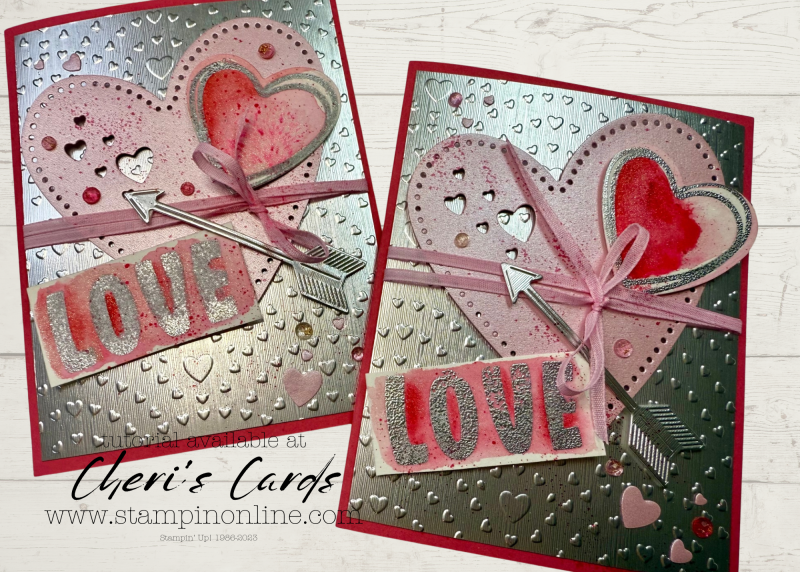
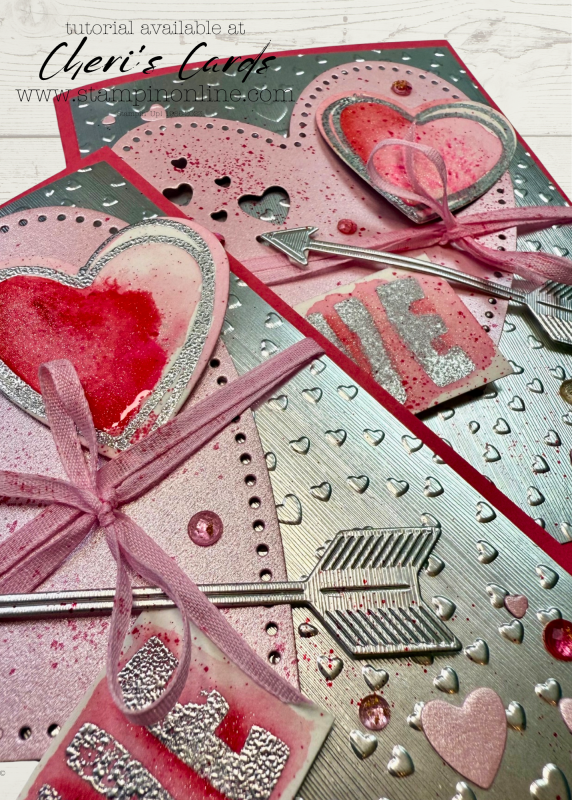
Ready for card two in my collage series? Today we turn toward February and Valentines!
I hope you are enjoying the collage series! I originally intended to do 3, but I am having such fun with it…we will see where it goes!
The great thing about these projects is that I can mix so many products which gives you a chance to see them in action, it’s easy to miss new things. You can also easily adapt the things I use to what may already be in your stash to recreate them.
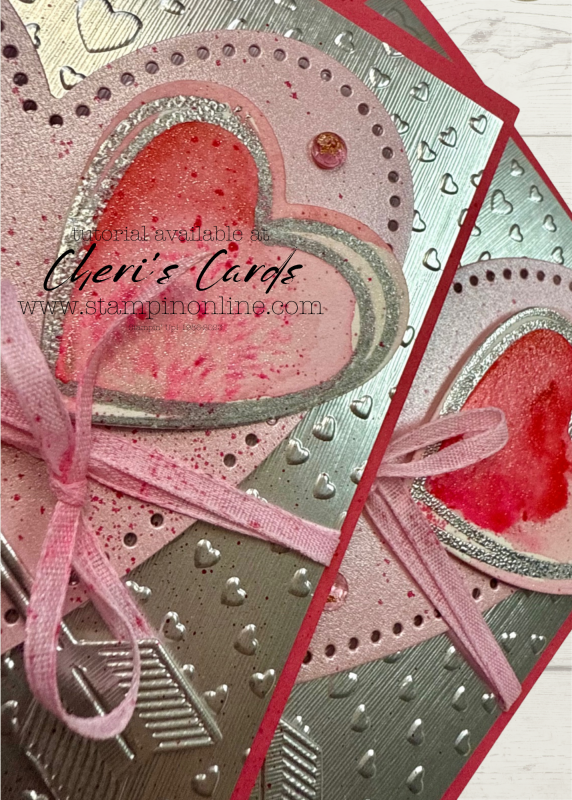
The dies and folders in this year’s Valentine suite are perfect for the holiday – and then later for weddings and more. The trendy arrows can be mixed in with your future collage cards!
I love when you do something and magic happens. I used a very generous portion of Wink of Stella and it had not yet dried when I splattered the blends. It gave a fun tye dye look!
The splatter also adds a great touch to the ribbon.
Make sure not to miss the newest shimmer paper! It comes in a pack of bubble bath, pool party and lemon lolly. You will be reaching for it all spring long.
Loyalty Thank You Gifts with online orders
You can see the standard levels
You earn ALL of the rewards to the level of order you place (amount calculated on merchandise – rewards, shipping, tax not included)
Get the January Tutorial bundle when you spend $50+
Get $5 bonus bucks for every $50 you spend
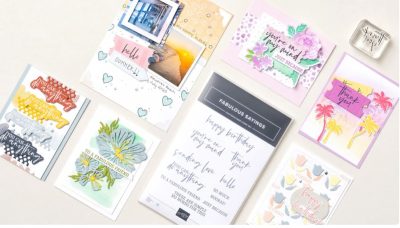
A new product of the month now available!
This past December new features on email programs went in to effect to help keep spam from your inbox. Unfortunately that means legit emails often are not delivered.
If you are on my email list and have not gotten an email recently (I sent 3 the week of January 6), then take these steps to add my email to your contacts. If you don’t see any emails from me in the last few weeks, then you can sign up again (link in the comments).
For now, it helps if you are on my list to take these steps:
A couple quick things to make sure my emails remain in your inbox
1. Reply “OK” to any recent email sent from my cheri@stampinonline email.
It helps tell your inbox that I’m a trusted sender.
2. Move me to your Primary inbox or add me to contacts.
So future issues don’t land in Spam or Promotions.
Find a recent email and do the following:
Gmail (Mobile):
Tap the 3 dots in the top-right corner → Move to > Primary
Gmail (Desktop):
Drag this email into the Primary tab (top left of your inbox)
Apple Mail (iPhone, iPad, Mac):
Tap or click my email address at the top → Add to Contacts
Outlook, Yahoo, or others:
Add cheri@stampinonline.com to your contacts or safe sender list
If you have not gotten an email from me in the last few weeks:
*Check your spam or junk folder – Move it back to your inbox and click “Not Spam” or “Report as not junk”
*Gmail users check your promotions tab, if you find it there, drag it to your primary tab. If Gmail asks apply to future messages, click yes.

![Endless Love Bundle (English) [ 167062 ]](https://assets1.tamsnetwork.com/images/EC042017NF/167062s.jpg "Endless Love Bundle (English) [ 167062 ]")
![Hearts Of Love 3 D Embossing Folder [ 167071 ]](https://assets1.tamsnetwork.com/images/EC042017NF/167071s.jpg "Hearts Of Love 3 D Embossing Folder [ 167071 ]")
![Bubble Bath 1/8" (3.2 Mm) Faux Linen Ribbon [ 167075 ]](https://assets1.tamsnetwork.com/images/EC042017NF/167075s.jpg "Bubble Bath 1/8\" (3.2 Mm) Faux Linen Ribbon [ 167075 ]")
![Pastels Shimmer 12" X 12" (30.5 X 30.5 Cm) Specialty Paper [ 167198 ]](https://assets1.tamsnetwork.com/images/EC042017NF/167198s.jpg "Pastels Shimmer 12\" X 12\" (30.5 X 30.5 Cm) Specialty Paper [ 167198 ]")
![Silver 12" X 12" (30.5 X 30.5 Cm) Foil Sheets [ 163387 ]](https://assets1.tamsnetwork.com/images/EC042017NF/163387s.jpg "Silver 12\" X 12\" (30.5 X 30.5 Cm) Foil Sheets [ 163387 ]")
![Clear Wink Of Stella Glitter Brush [ 141897 ]](https://assets1.tamsnetwork.com/images/EC042017NF/141897s.jpg "Clear Wink Of Stella Glitter Brush [ 141897 ]")
![Fluid 100 Watercolor Paper [ 149612 ]](https://assets1.tamsnetwork.com/images/EC042017NF/149612s.jpg "Fluid 100 Watercolor Paper [ 149612 ]")
![Strawberry Slush & Pretty In Pink Gems [ 165615 ]](https://assets1.tamsnetwork.com/images/EC042017NF/165615s.jpg "Strawberry Slush & Pretty In Pink Gems [ 165615 ]")
![Strawberry Slush 8 1/2" X 11" Cardstock [ 165625 ]](https://assets1.tamsnetwork.com/images/EC042017NF/165625s.jpg "Strawberry Slush 8 1/2\" X 11\" Cardstock [ 165625 ]")
![Strawberry Slush Classic Stampin' Pad [ 165286 ]](https://assets1.tamsnetwork.com/images/EC042017NF/165286s.jpg "Strawberry Slush Classic Stampin' Pad [ 165286 ]")
![Pretty In Pink Classic Stampin Pad [ 163807 ]](https://assets1.tamsnetwork.com/images/EC042017NF/163807s.jpg "Pretty In Pink Classic Stampin Pad [ 163807 ]")
![Water Painters [ 168253 ]](https://assets1.tamsnetwork.com/images/EC042017NF/168253s.jpg "Water Painters [ 168253 ]")
![Strawberry Slush Stampin’ Blends Combo Pack [ 165290 ]](https://assets1.tamsnetwork.com/images/EC042017NF/165290s.jpg "Strawberry Slush Stampin’ Blends Combo Pack [ 165290 ]")